Colligo Colligo Contributor File Manager

Manage SharePoint content from the desktop

Connect SharePoint and Windows File Explorer for easy document management

Colligo Contributor File Manager Free Trial Buy Colligo Colligo Contributor File Manager NOW

Colligo Contributor File Manager

Increase SharePoint adoption by seamlessly linking folders on your file system with SharePoint document libraries. Local folders become “SharePoint aware”, providing easy access to SharePoint features such as metadata, content types, and document templates. Folders can also be easily accessed from any application that uses the standard Windows File Open/Save dialog. SharePoint files can be added and edited using familiar desktop operations.

  • Empower users to easily manage documents in SharePoint
  • Increase the quantity of content captured and tagged in SharePoint
  • Make SharePoint folders accessible directly from the desktop
  • Drive mobile and remote workforce productivity with easy offline access
  • Improve collaboration, and document and project management
  • Improve records retention to reduce risk and improve compliance
It wouldn’t be an exaggeration to say that Colligo Contributor has been central to the success of our SharePoint project.
- Richard Grove, Senior Project Manager, Webcor Builders

Colligo Contributor File Manager Features

File Manager_documents

Document and form libraries

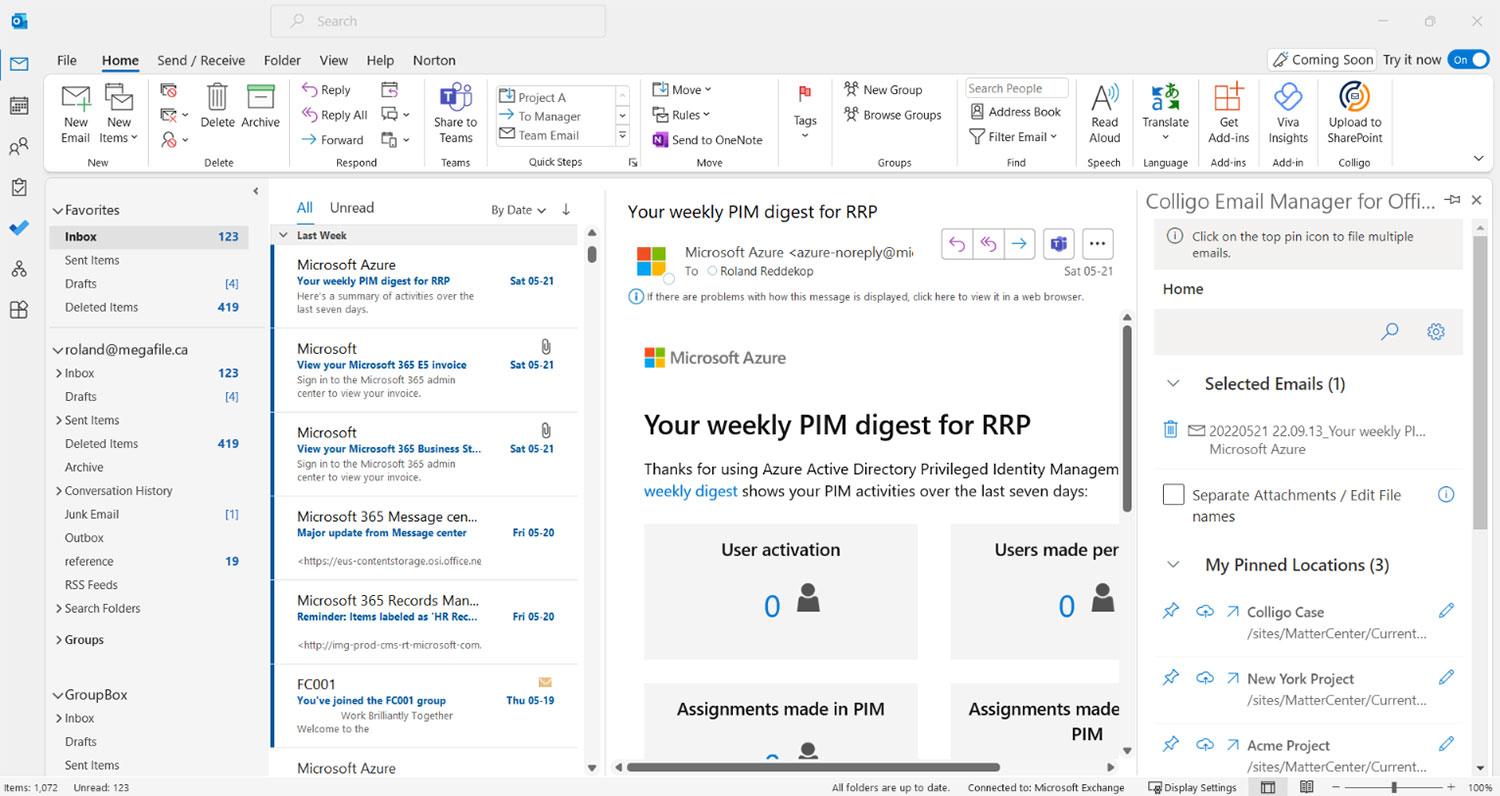
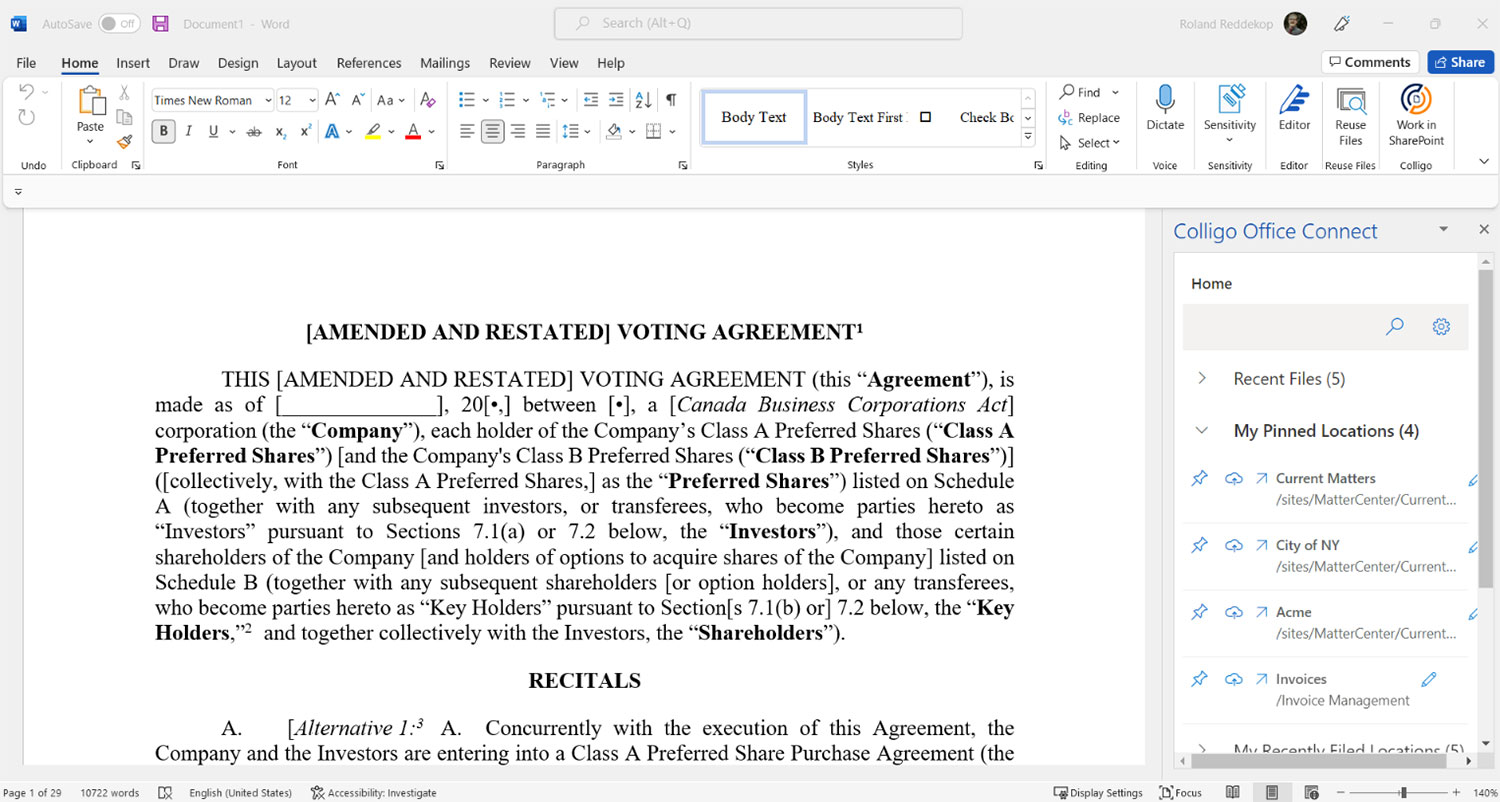
Easily sync document libraries and folders to Colligo Contributor from the toolbar, and access SharePoint libraries right from your Outlook folder tree. Documents and document sets are easily opened, edited, and saved. Create documents using document and form templates, or, just drag-and-drop. In-place records management is supported.

  • Drag-and-drop documents to SharePoint
  • Update documents from Outlook folders
  • Use content types and forms in Outlook
file-save-as

Direct access to and from SharePoint

Easily access locally-cached SharePoint sites from application using the standard Windows File Open/Save dialog

  • Open and save content to SharePoint
  • As easy-to-use as a local file system
  • Create new content
  • Auto-sync files and metadata to SharePoint
Colligo Contributor File Manager

Familiar Windows Explorer UI

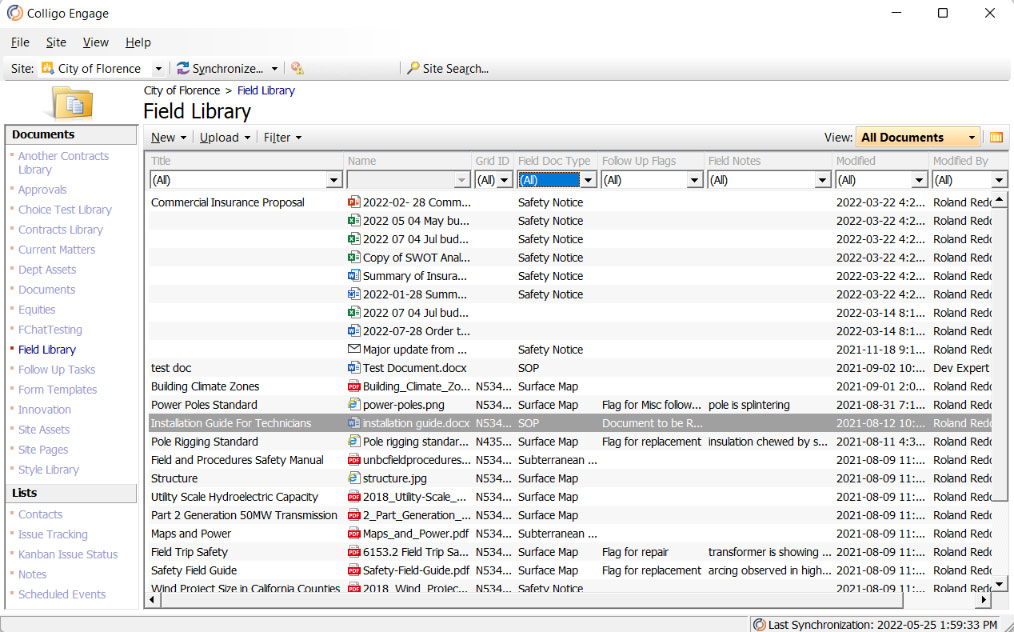
Open, save, organize, and classify SharePoint files directly from Windows Explorer. Simple right-click access makes SharePoint commands easily accessible and painless to use.

  • Navigate to cached SharePoint content
  • View metadata to sort SharePoint files through Windows Explorer “Details” view
  • Improve access and SharePoint experience
Document Check-In / Check-Out

Windows Explorer integration

Eliminate the learning curve with intuitive integration between SharePoint and Windows Explorer.

  • Create, view, and edit SharePoint content
  • Open/save to SharePoint from the desktop
  • Drag-and-drop or copy and paste files and folders to and from SharePoint
  • Supports Office 2010 and 2007 metadata properties
  • Auto-extract email metadata
  • Stay productive out-of-office with offline caching
Contributor Synchronization Options

Synchronization configuration options

Select specific documents, document sets, libraries, or entire SharePoint sites to sync to your laptops. Content is kept up-to-date with automatic background sync based on startup, view, and configured time intervals. When online, content changes can be set to trigger immediate synchronization. A one-way sync configuration is available for read-only access. Configuration options can be set by individual users or locked by IT.

  • Sync documents, document sets, libraries, or entire SharePoint sites
  • Access and update content while offline
  • Set sync on startup, view, edit, or interval
Folder-Drag-and-Drop1

Drag-and-drop folders

Copy complete folder structures from the desktop or between SharePoint document libraries with a simple drag-and-drop. The folders are created in SharePoint, files uploaded, and metadata values set on each file imported.

  • Specify custom metadata using the default folder-level metadata feature
  • Add metadata using a customizable editor
outlook_lists

Standard and custom lists

Access custom lists, and many standard lists ,including events, issues, links, contacts, announcements, tasks, and agendas. List items are added or edited with just a few clicks and automatically updated in SharePoint.

  • Set content types for list items
  • Access and update custom lists
  • Add items to standard lists
  • Right-click to edit item properties
outlook_views

Views and metadata

Quickly organize and find content with online and offline views. Set metadata for multiple list items and documents simultaneously, with a simple right-click. Set enterprise-managed and keyword metadata using the term store selector. Specify default folder-level metadata for automatic application. Multi-value lookups are supported.

  • Right-click to quickly update metadata
  • Edit common metadata to multiple files
  • Select managed metadata via the term store
  • Set default folder-level metadata
Sync Options

Synchronization and version control

Select specific libraries, folders, or lists for sync. Cached content is kept up-to-date with an automatic background sync. When online, modifications to content can immediately trigger synchronization. Configuration options can be set by individual users or locked by IT. Elegant conflict resolution, integrated with Microsoft Word® compare and merge, notifies of conflicting edits on next connect.

  • Set sync on startup, view, edit, or interval
  • Resolve conflicts with compare and merge
  • Lock content with Check-Out and Check-In

Colligo Administrator

For organizations requiring centralized deployment and administration, increased scalability, and management of SharePoint content on personal devices, Colligo Administrator is an optional administration suite for Colligo’s desktop and mobile products.

  • Decrease time and cost of deployment and increase IT efficiency with centralized deployment tools
  • Reduce IT management overhead through centralized administration
  • Support corporate governance initiatives and address the democratization of IT with secure, centrally-enforced role- and policy-based SharePoint access
  • Gain deep insight into Colligo and SharePoint usage to ensure that factors determining SharePoint adoption and ROI can be tracked, communicated, and optimized (planned future release)

Learn more »


Colligo Contributor SDK

Colligo Contributor SDK is an optional development toolkit, designed to easily integrate and extend Colligo solutions to meet the unique needs of your organization. It includes:

  • .NET API to the Contributor Application engine
  • Detailed technical information and specifications to enable the creation of custom development, management, configuration, and installation tools

Need Offline Email Management? Try Colligo Contributor Pro

Colligo Contributor File Manager is available as a standalone product, or as part of Colligo Contributor Pro, a complete solution suite for offline email and document management in SharePoint.

Learn more >>

Colligo Contributor File Manager

Download your Free 30-Day Trial

Learn why over 4000 organizations worldwide—including Microsoft—rely on Colligo solutions to to improve collaboration, increase productivity, and mitigate corporate risk.

Download your Free 30-Day Trial
Free Trial